June 28, 2026
Andy & Sam's Save the Date
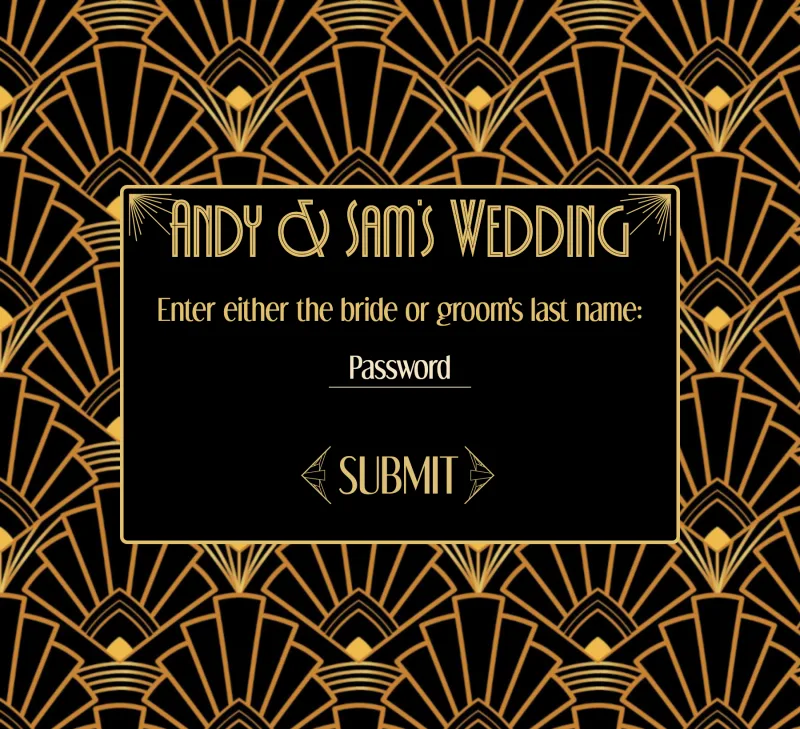
When Sam and I were planning our wedding, I did the engineer thing and built our own save-the-date site instead of renting one — a digital save-the-date behind a little password gate, where guests told us whether they planned to come and where to send the real invitation later.
Serverless, on a wedding budget
No backend to run and no monthly bill. The whole thing is static HTML, CSS, and JavaScript on GitHub Pages, with a Google
Apps Script web app standing in for a server. That script reads and writes a Google Sheet — our guest list and everyone's
responses — and the front end just talks to it over fetch. Free to host, and... okay, Sam could read the
responses straight out of a spreadsheet.
Guests "logged in" with the bride's or groom's last name. The front end POSTs the form straight to the script and, when the
reply comes back success, stashes the token it's handed and follows the redirect:
loginForm.addEventListener('submit', e => {
    e.preventDefault()
    const formData = new FormData(e.target)

    fetch(SCRIPT_URL, {
        method: 'POST',
        body: formData
    }).then(r => r.json())
        .then(r => {
            if (r.status === 'success') {
                localStorage.setItem('token', r.token)
                localStorage.setItem('redirect', r.redirect)
                window.location = r.redirect
            } else
                throw new Error(r.message)
        })
        .catch(e => { errorMsg.innerText = e.message })
})
The script checked that name against the guest list and minted a token, which the page stashed in
localStorage along with where to send you next. Every save-the-date submission then carried that token back, so
the script could tell a real guest's response from a stray POST, and submitting cleared it from storage on the way out. Show
up at the gate with a token still saved and it waved you straight through — so you signed in once and never again.
Which is to say it's a half-baked OAuth: authenticate once, get a bearer token, present it on every request that touches the data. Just without everything that actually makes OAuth OAuth — no authorization server, no scopes, no refresh, no expiry, and a "password" that's one last name the whole guest list shares. For keeping a wedding list out of public view, this was plenty.
The fun parts
The form rewires itself around one question — are you coming? Picking an answer flips which fieldset is required and which is disabled, so each guest only fills out the half that applies to them:
// flip which fieldset is required/enabled around the "are you coming?" answer
const changeForm = (attending) => {
    const going = document.getElementById('is-attending-info')
    going.classList[attending === 'yes' ? 'remove' : 'add']('disabled-fields')
    going.querySelectorAll('input').forEach(i => {
        i.required = attending === 'yes'
        i.disabled = attending !== 'yes'
    })
    // ...the not-attending fieldset mirrors this, inverted
}
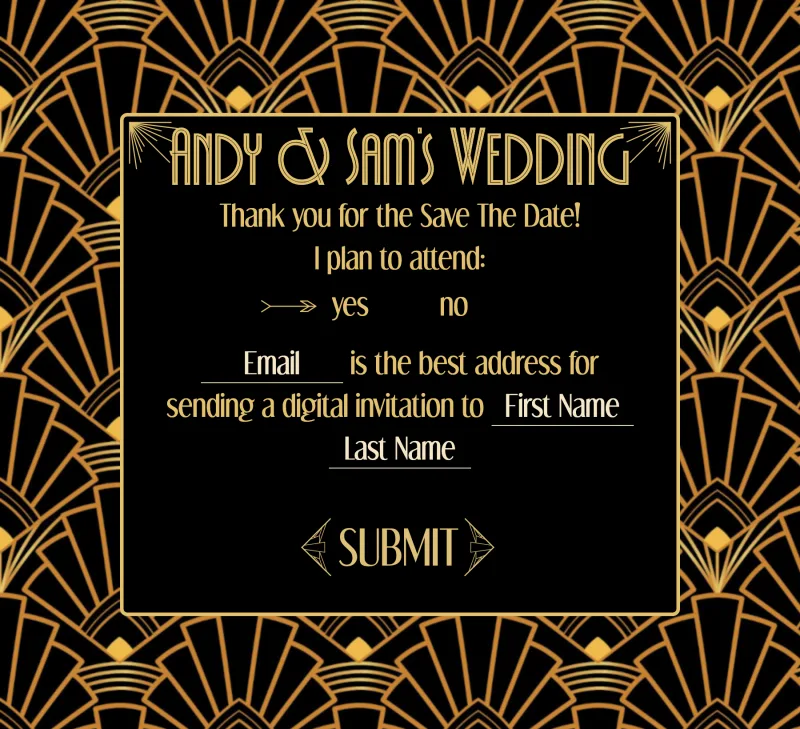
- The text inputs grow to fit what you type — a little helper measures the text in a hidden element and resizes the field, so a long name never gets clipped in a fixed-width box.
-
No framework and no build step. Just the platform: a couple hundred lines of vanilla JS, a pair of art-deco display
fonts, and
noindexto keep the whole thing off the search engines.
The site's retired now — we've moved on to the next stage of our journey — but it was a great excuse to build something real with nothing more than a browser and a spreadsheet.